
Download TimeLog – Time‑Tracking, Billing & Project Management Tool
Overview of TimeLog
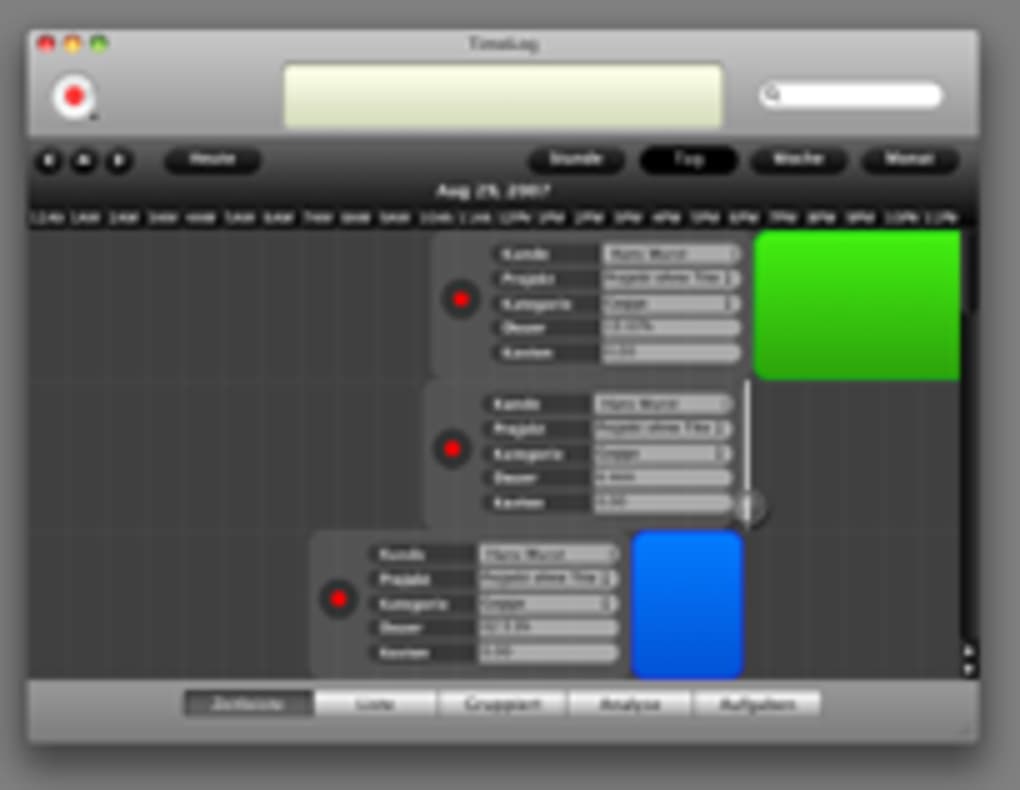
In the fast‑paced world of freelancing and project‑based work, knowing exactly how many hours you have spent on a client or a specific task is not just a nice‑to‑have – it’s a business‑critical requirement. TimeLog answers that call by offering a clean, calendar‑centric interface that lives comfortably between iTunes and iCal. The app automatically records the time you spend on each project, lets you set billable rates, and even produces detailed reports for invoicing. Because it was built with Apple ecosystems in mind, TimeLog integrates tightly with iCal, macOS, and iPhone, allowing you to launch a timer directly from your calendar entry or from the iconic red record button at the top‑left of the window. The result is a single‑pane view where you can see all active projects, upcoming tasks, and accumulated billable hours without flipping between multiple applications.
TimeLog also includes smart list capabilities, meaning you can group projects by client, billing status, or project type and then filter or sort them on the fly. Whether you need a quick glance at today’s billable total or a deep dive into the profitability of a multi‑month engagement, the software’s analytics engine can break down the data by time, cost, or even custom tags you define. Recent updates have added iPhone support, locked‑rate options for added security, and compatibility patches for macOS Snow Leopard, making the tool more robust for both desktop and mobile users.
While some users have reported occasional hiccups when printing reports or syncing with iCal after a major OS upgrade, the development team has been responsive, releasing bug‑fixes and incremental improvements on a regular cadence. Overall, TimeLog stands out as a secure, free‑to‑try solution that balances simplicity with powerful billing automation – a combination that is especially valuable for freelancers, consultants, and small agencies looking to streamline their time‑tracking workflow.
Key Features that Set TimeLog Apart
- Automatic Timer & Billing: Start, pause, or stop timers with a single click; rates are applied instantly to calculate billable amounts.
- iCal Integration: Sync projects directly with your calendar events, enabling one‑click timer launches from iCal entries.
- Smart Lists & Filters: Organize projects by client, type, or billing status and create custom views for quick navigation.
- Detailed Analytics & Reports: Generate reports based on time, cost, or custom criteria; export to CSV or PDF for invoicing.
- Rate Locking (Advanced Menu): Prevent accidental rate changes by locking billing rates per project.
- Cross‑Device Support: Use the same TimeLog database on macOS and iPhone, keeping your data in sync wherever you work.
- Secure Data Handling: All project data is stored locally with optional encrypted backups, ensuring privacy and compliance.
Why These Features Matter for Freelancers
For a freelancer, every minute counts. The automatic timer eliminates the mental overhead of remembering to log hours, while the real‑time billing calculation means you always know how much a project is worth at any given moment. Integration with iCal is a game‑changer because many professionals already rely on their calendar to schedule work; TimeLog simply extends that workflow, turning a scheduled meeting into a billable event without extra steps.
Smart lists reduce visual clutter, allowing you to focus on the most profitable or urgent projects. The ability to lock rates protects against accidental changes that could otherwise affect invoices. And because the app works on both macOS and iPhone, you can start a timer on the go, then refine details later on your desktop – a seamless experience that few competing tools provide.
The analytics engine also helps you identify trends, such as which clients generate the highest revenue per hour or which project types are consistently under‑budget. Armed with that insight, you can negotiate better rates, prioritize high‑margin work, and make data‑driven decisions that grow your business.
Pros and Cons
- Pros:
- Intuitive, calendar‑centric UI that feels native to macOS.
- Automatic time tracking reduces manual entry errors.
- Robust reporting for invoicing and profitability analysis.
- Free core version with optional paid upgrades for advanced features.
- Regular updates and responsive support from the development team.
- Cons:
- Printing reports can be problematic on some printer drivers.
- Occasional sync issues with iCal after major OS updates.
- Limited Windows support – currently macOS and iOS only.
Installation, Usage Instructions, and Compatibility
Step‑by‑Step Installation
Installing TimeLog on a Mac is straightforward. First, download the installer from the official website or the Mac App Store. The file will be a .dmg package. Double‑click the package, then drag the TimeLog icon into your Applications folder. macOS will prompt you to confirm the move; once completed, you can launch the app directly from Launchpad or the Applications directory.
For iPhone users, open the App Store, search for “TimeLog,” and tap Get**. The app will download and install automatically. After the first launch, you’ll be guided through a brief onboarding wizard that helps you connect the app to your iCal calendar, set default billing rates, and create your first project.
Getting Started with the Interface
Upon opening TimeLog, you’ll see the familiar iCal‑style grid on the left and a large red record button in the top‑left corner. To begin tracking, click the red button; a timer will start, and the current project name will appear in the status bar. You can stop or pause the timer at any time, and the app automatically logs the elapsed time to the selected project. To assign a project to a calendar event, simply drag the event onto the TimeLog window or use the “Link to iCal” option in the project’s context menu.
The “Smart Lists” pane on the right lets you create filters such as “All Billable Projects” or “Clients with Over 20 Hours.” Click the + New List button, choose your criteria, and save. These lists persist across sessions, giving you a customized dashboard that reflects the metrics you care about most.
Compatibility and System Requirements
TimeLog is optimized for macOS 10.10 (Yosemite) and later, including full support for macOS Ventura and Monterey. The iPhone version requires iOS 13 or newer. While there is currently no native Windows client, the macOS version can run on Apple Silicon (M1/M2) and Intel Macs alike, thanks to universal binaries. The application uses standard macOS frameworks, ensuring smooth performance on both older Snow Leopard machines (with the latest patch) and the newest Apple hardware.
If you use a third‑party calendar app that syncs with iCal (such as Google Calendar via CalDAV), TimeLog will still be able to read those events as long as they appear in your macOS calendar. However, be aware that heavy customizations or non‑standard calendar plugins might occasionally cause sync delays – a known issue that the developers are actively fixing.
For security‑focused users, TimeLog offers encrypted local storage and optional iCloud backup. You can enable encryption from the Preferences > Security tab, which ensures that all time‑tracking data is scrambled on disk and only decrypted when you sign in with your macOS password.
Frequently Asked Questions
Can TimeLog export data for invoicing?
Yes. TimeLog can generate detailed CSV and PDF reports that include project names, total hours, rates, and calculated amounts. These files can be imported directly into popular invoicing tools such as FreshBooks, QuickBooks, or even Microsoft Excel for custom invoice creation.
Is there a way to lock billing rates to prevent accidental changes?
Absolutely. The “Advanced” menu includes a “Lock Rates” option. When enabled, any attempt to modify a project’s rate will prompt for administrator authentication, safeguarding your pricing structure.
How does TimeLog handle multiple users or team members?
TimeLog is primarily designed for individual freelancers, but it supports multiple user profiles on the same machine. Each user can maintain a separate project database. For true team collaboration, the developer recommends using a shared iCloud folder or a third‑party sync service to keep the database consistent across devices.
What should I do if I encounter printing issues?
First, ensure your printer drivers are up to date. If the problem persists, export the report as a PDF and print from Preview or another PDF viewer. The development team is aware of the issue and often releases patches that improve printer compatibility.
Is there a paid version of TimeLog with additional features?
Yes. While the core application is free, a premium upgrade unlocks advanced analytics, multi‑currency support, and priority email support. Pricing starts at $19.99 per year, and the upgrade can be purchased directly from the app’s “Upgrade” menu.
Conclusion – Should You Download TimeLog?
If you are a freelancer, consultant, or small agency that lives and breathes calendar‑driven work, TimeLog offers a uniquely integrated solution that turns every scheduled event into a billable asset. Its automatic timer, smart list organization, and robust reporting tools give you granular control over how you capture and monetize your time. The free version provides enough functionality for most solo professionals, while the optional premium tier adds depth for power users.
The few drawbacks—occasional printing quirks and limited Windows support—are outweighed by the seamless macOS and iPhone experience. Moreover, the developers’ commitment to fixing bugs and adding features like rate locking and iPhone compatibility signals a healthy roadmap for future growth.
Ready to stop guessing how many hours you’ve worked and start billing with confidence? Download TimeLog now and begin tracking your projects with a tool that respects your workflow and protects your data.
TimeLog delivers a polished, calendar‑centric time‑tracking experience that works effortlessly on macOS and iOS. Its automatic billing and smart list features are especially valuable for freelancers who need to stay on top of billable hours without manual entry. Minor issues with printing and iCal sync remain, but the overall value and regular updates make it a top‑choice in the niche.







